
Skip to content
Hot Topics

E85 Fuel Arrives in Delhi — Fuel Prices Drop by Nearly ₹20 Per Litre, But Can Your Car Use It?

How to Hire a Singer for a House Party in India – The Complete Guide for an Unforgettable Celebration

Peddi Movie Review — Ram Charan Delivers a Powerful Mass Entertainer With Strong Pushpa-Like Vibes

Hai Jawani To Ishq Hona Hai Review — Varun Dhawan’s Rom-Com Feels Familiar, But Has Its Moments

Joe Root Is Closing In on Sachin Tendulkar’s Record — Can Cricket’s Greatest Batting Milestone Finally Be Broken?

rc logo
  • Home
  • Contact
  • Submit Press Release
  • Advertise
Main Menu
  • Home
  • Contact
  • Submit Press Release
  • Advertise
Home / Information / How to Delete Instagram Account (2026): Step-by-Step Permanent Deletion Guide
  • Information

How to Delete Instagram Account (2026): Step-by-Step Permanent Deletion Guide

By CrestAdmin
No Comments
January 23, 2026 5:35 pm
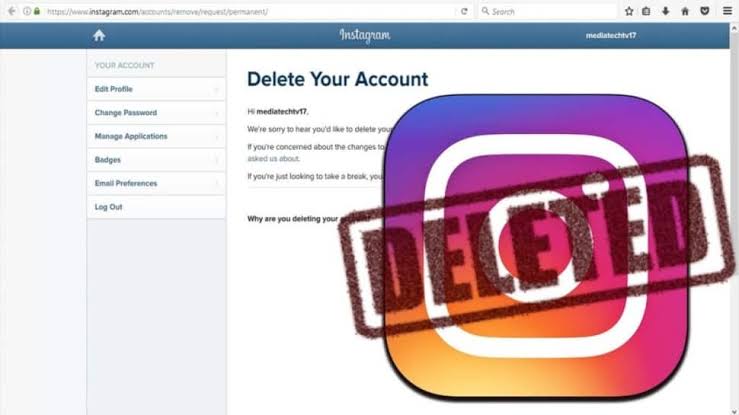
Delete Instagram account

Whether you’re looking for a digital detox or a permanent exit from Meta’s ecosystem, deleting your Instagram account is no longer as hidden as it used to be. However, with the 2026 Accounts Center updates, the steps have shifted slightly.

Here is the definitive guide to taking back your digital privacy.

Before You Delete: Deactivation vs. Deletion

Before hitting the “nuclear” button, understand the difference:

  • Deactivation: Your profile, photos, and likes are hidden. You can return anytime by simply logging back in.
  • Deletion: Your account is permanently removed. After 30 days, your data is gone forever and the username may be taken by someone else.

Editor’s Pro Tip: Always go to Your Activity > Download Your Information before deleting to keep a backup of your memories.

How to Delete Instagram Account on Mobile (Android & iPhone)

The process is now unified across both operating systems via the Meta Accounts Center.

  1. Open the Instagram App and tap your profile icon (bottom right).
  2. Tap the Three Lines (Hamburger Menu) in the top right corner.
  3. Tap Settings and Privacy > Accounts Center (at the top).
  4. Navigate to Personal Details > Account Ownership and Control.
  5. Select Deactivation or Deletion.
  6. Choose the account you wish to remove.
  7. Select Delete Account and tap Continue.
  8. Choose a reason for leaving, enter your password, and confirm the deletion.

How to Delete Instagram Account on Web (Browser)

If you prefer using a desktop or mobile browser, follow these steps:

  1. Log in to Instagram.com.
  2. Click More (three lines, bottom left) and select Settings.
  3. Click See more in Accounts Center on the left-hand menu.
  4. Follow the same path: Personal Details > Account Ownership and Control > Deactivation or Deletion.
  5. Confirm your choice and enter your password.

What Happens After You Request Deletion?

  • The 30-Day Grace Period: Your account is hidden immediately, but it isn’t fully erased for 30 days. If you regret your decision, you can log back in within this window to cancel the request.
  • Permanent Removal: Once the 30 days are up, Meta begins the 90-day process of wiping the data from its backup servers.


Share Article
Tagged:close instagram accountdeactivate instagram accountdelete instagram account permanentlydelete instagram on androiddigital detox 2026how to backup instagram datahow to delete instagram accounthow to delete instagram on iphonehow to disable instagraminstagram account deletion link 2026instagram accounts center guideinstagram privacy settingspermanently delete social mediaremove instagram profilerhythm crest tech guides
Previous Article
hunter 350

Royal Enfield Hunter 350 Review: Price, Mileage, Features & Why It’s So Popular

Next Article

Ishan Kishan (ईशान किशन) : Biography, Career, Stats, IPL Journey & Latest Updates

ishan kishan
CrestAdmin

Related Posts

ebola
Ebola Virus — Symptoms, Spread & Why the World Still Fears It
May 27, 2026
itr
How to File ITR Online for AY 2025-26 — Simple Step-by-Step Guide
May 25, 2026
court
What Is Collegium System? India’s Judicial Appointment Process Ex ...
May 24, 2026

Leave a Reply Cancel reply

Your email address will not be published. Required fields are marked *

Featured Posts

1e85
E85 Fuel Arrives in Delhi — Fuel Prices Drop by Nearly ₹20 Per Litre, But Can Your Car Use It?
June 5, 2026
2Yogi M live singer
How to Hire a Singer for a House Party in India – The Complete Guide for an Unforgettable Celebration
June 5, 2026
3peddi
Peddi Movie Review — Ram Charan Delivers a Powerful Mass Entertainer With Strong Pushpa-Like Vibes
June 4, 2026
Contact for any query or complaint.

Email: contact@rhythmcrest.in

Category List

  • Automobiles(4)
  • Creativity & Inspiration(7)
  • Editor's Picks(3)
  • Education(5)
  • Entertainment(50)
  • Fashion(2)
  • Gaming(6)
  • Information(28)
  • Lifestyle & Self-Improvement(5)
  • Money & Business(25)
  • Music(22)
  • News(42)
  • Religion(5)
  • Sports(37)
  • Tech & Gadgets(25)
  • Tools(3)
  • Travel & Culture(9)
  • Trending / Pop Culture(19)
  • Uncategorized(3)

Tools

1speed test
TRUE SPEED TEST – Internet Speed Test
February 9, 2026
2home loan calculator
Home Loan Calculator: Instantly Know Your EMI, Interest & Tenure
February 8, 2026

Copyright © 2026 All rights reserved - RhythmCrest